Your contract, intact
Separate from your PSA
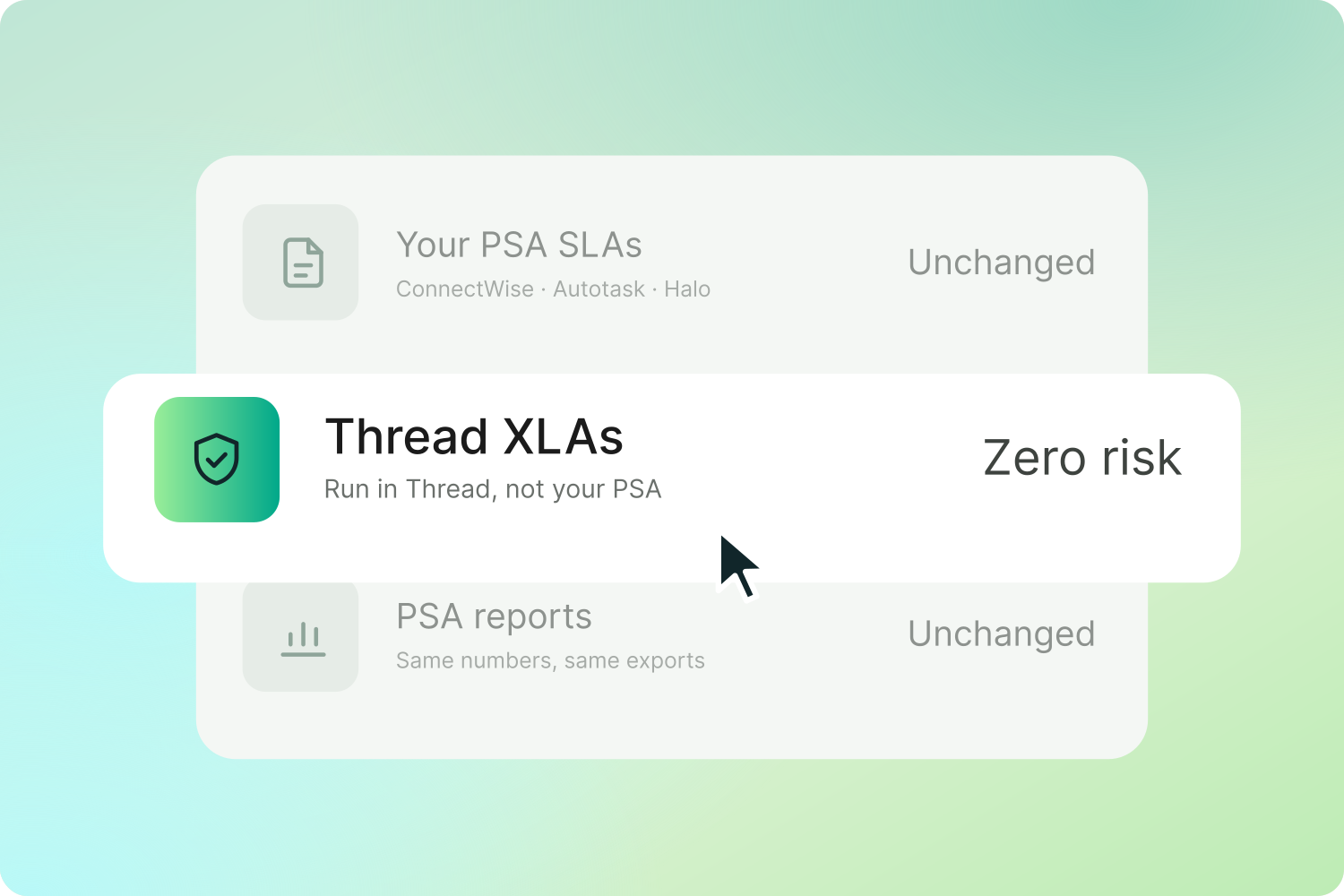
XLAs run in Thread, not your PSA. Your ConnectWise, Autotask or Halo SLAs and reports stay exactly as they are. Zero risk.

Experience Level Agreements (XLAs) set response targets by channel, client and priority, based on the clock your client actually feels. Get warned before an SLA miss, while there’s still time to act.
Every managed service provider’s AI service desk promises better SLA compliance. But SLAs are set loose enough to survive your worst day and reviewed only after the client is already upset. A chat gets the same deadline as an email. And the clock starts when your tech picks up, not when your client starts waiting.
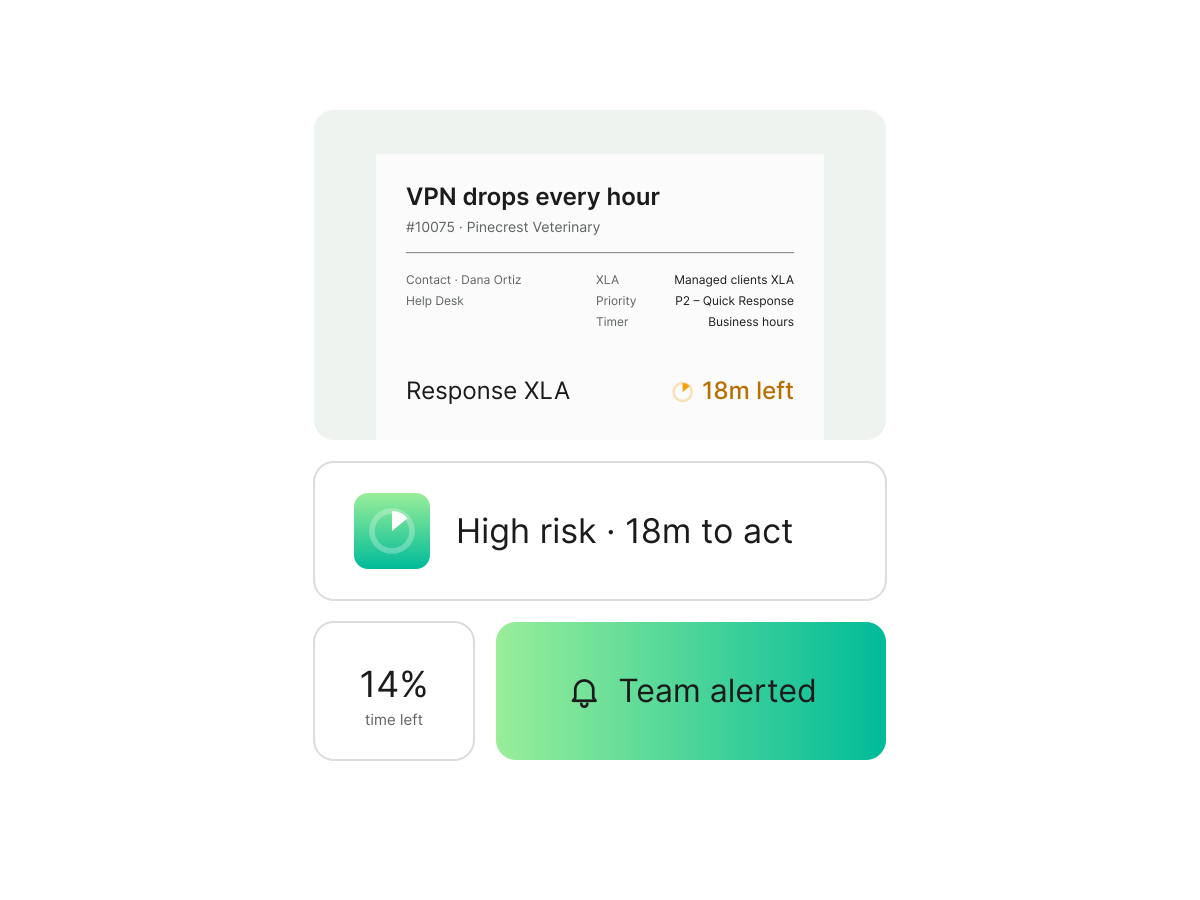
XLAs hold each request to the clock your client expects, by channel, client and priority, from the moment they reach out. Your queue ranks itself by risk, and your team steps in before the miss.
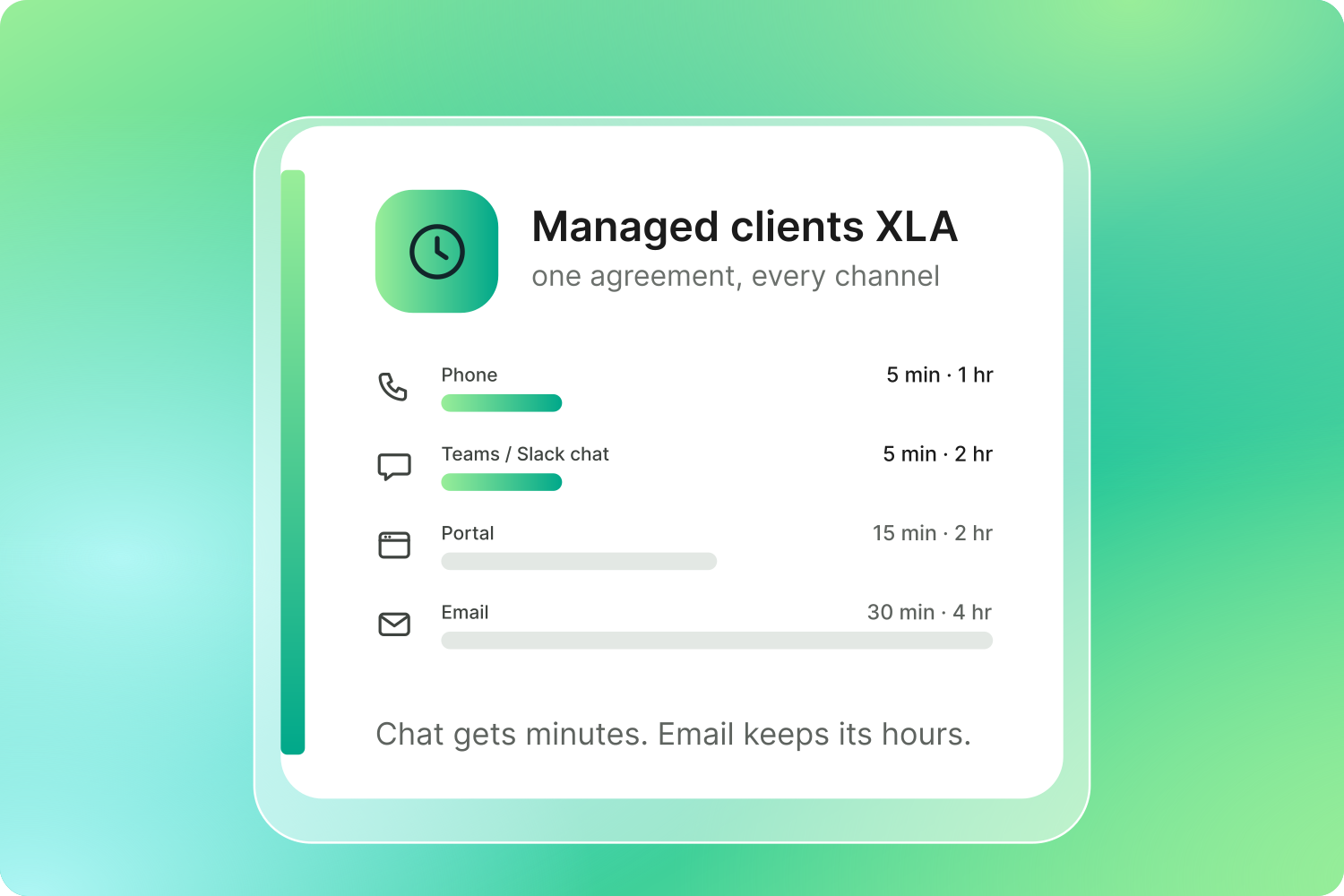
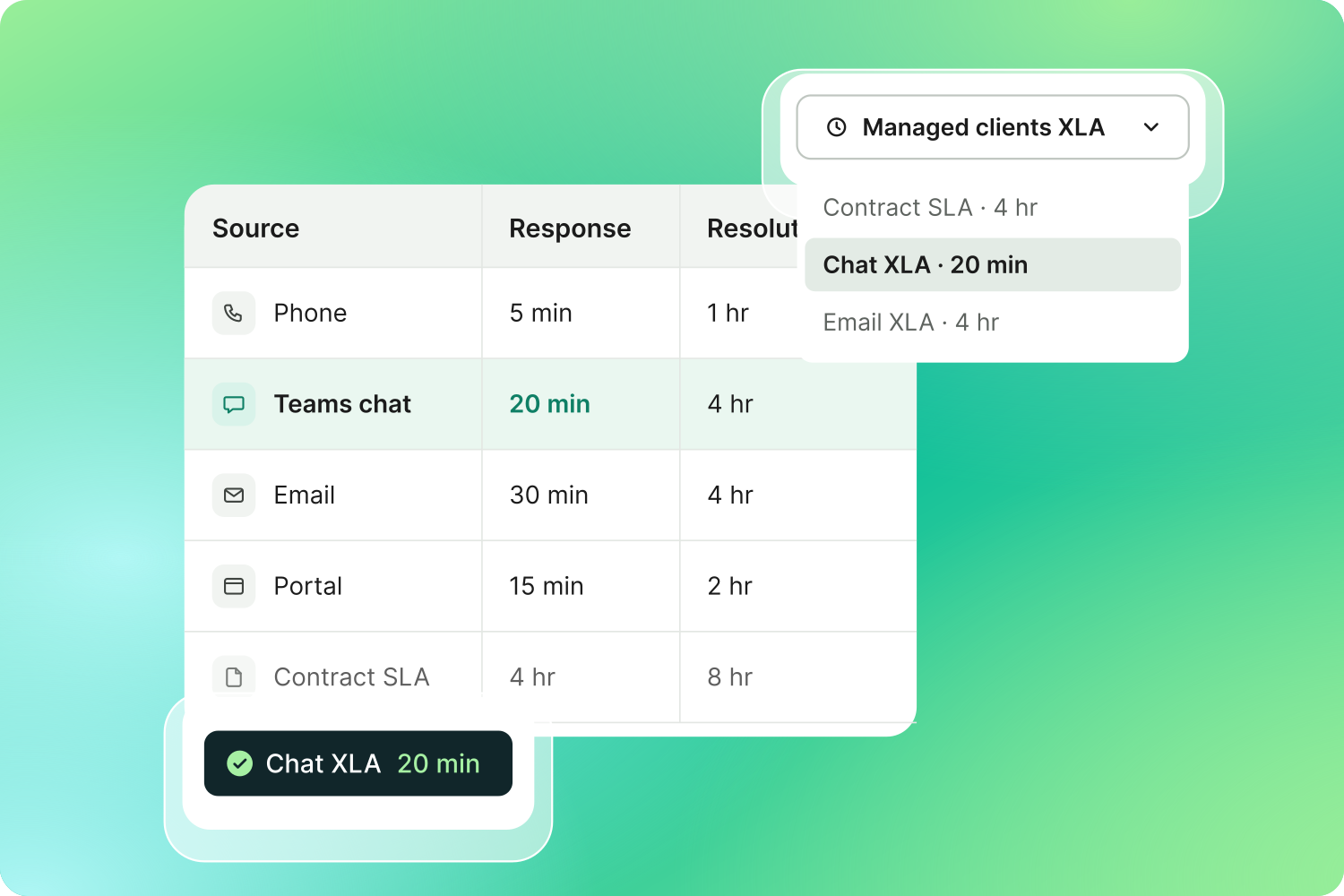
Phone, email, chat, and a portal each get their own response and resolution targets. Thread sees how every request comes into your MSP, so a Teams or Slack chat gets minutes while an email keeps its hours.
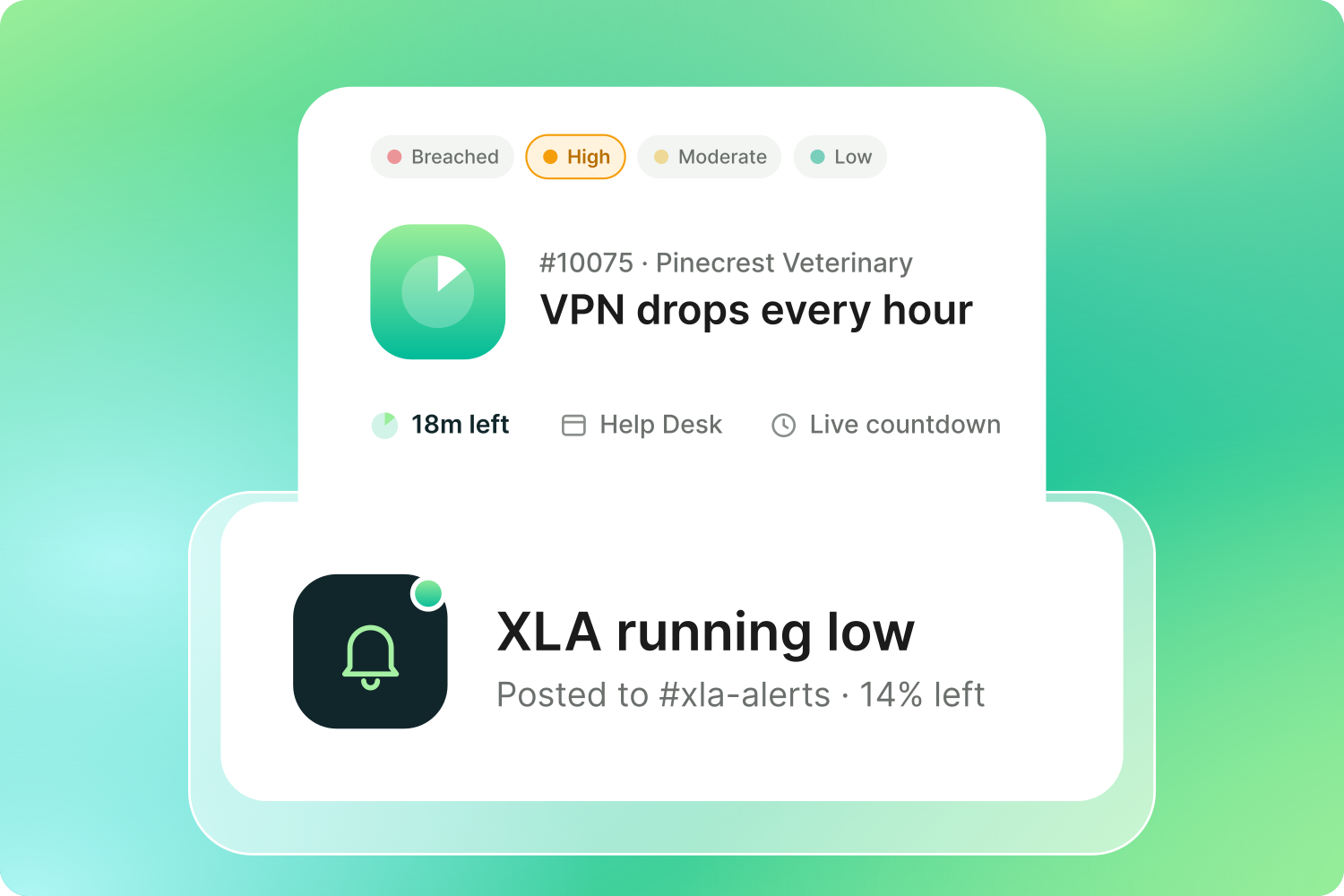
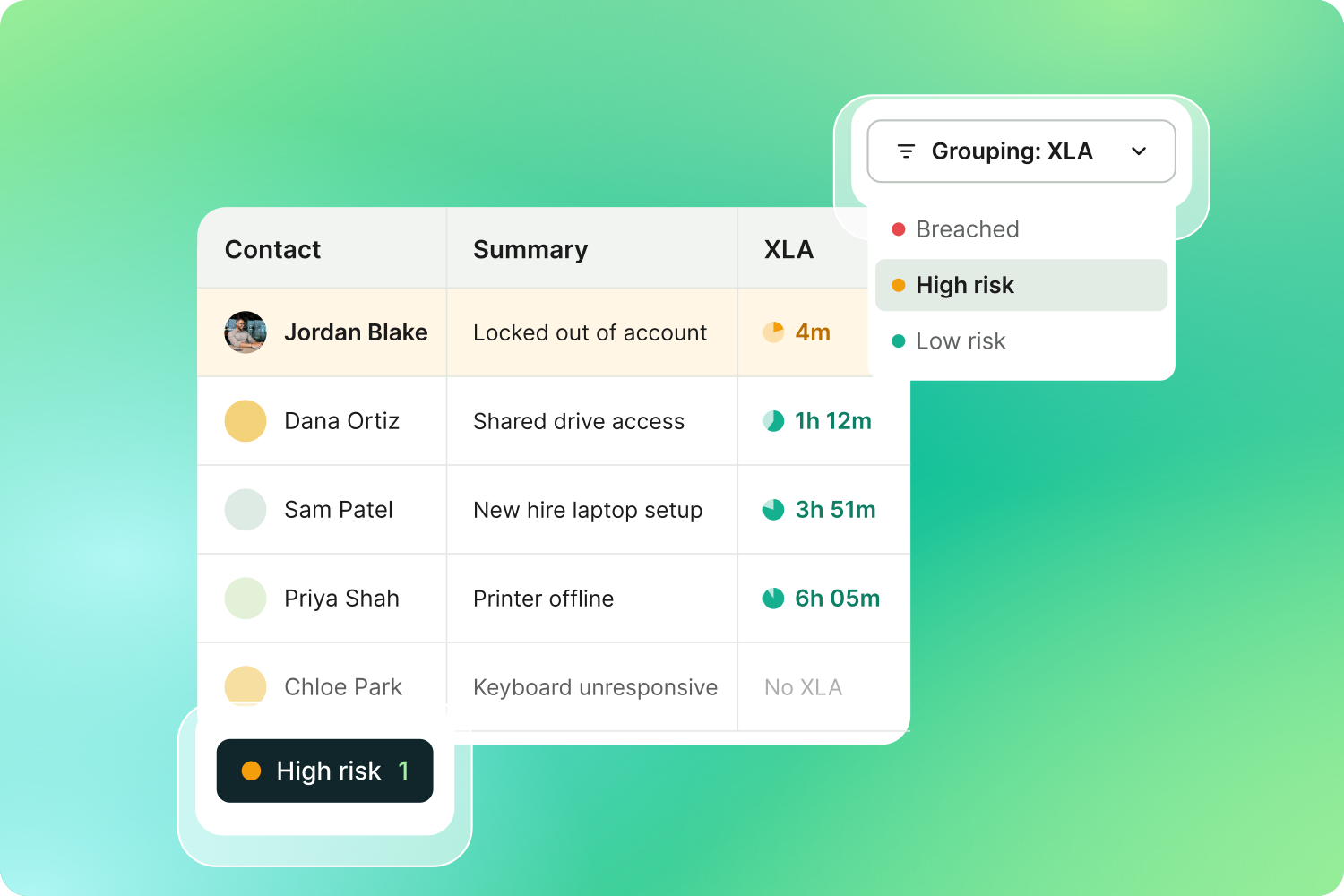
Inbox sorts every ticket into Breached, High, Moderate and Low risk, with a live countdown on each. Cross your MSP’s threshold, and Slack or Teams light up. Not another buried email. Real-time insights you can act on.
Channels, each with a clock of its own
Ways to target: board, client, VIP, more
Changes to your PSA (ConnectWise, Halo, Autotask) SLAs or reporting
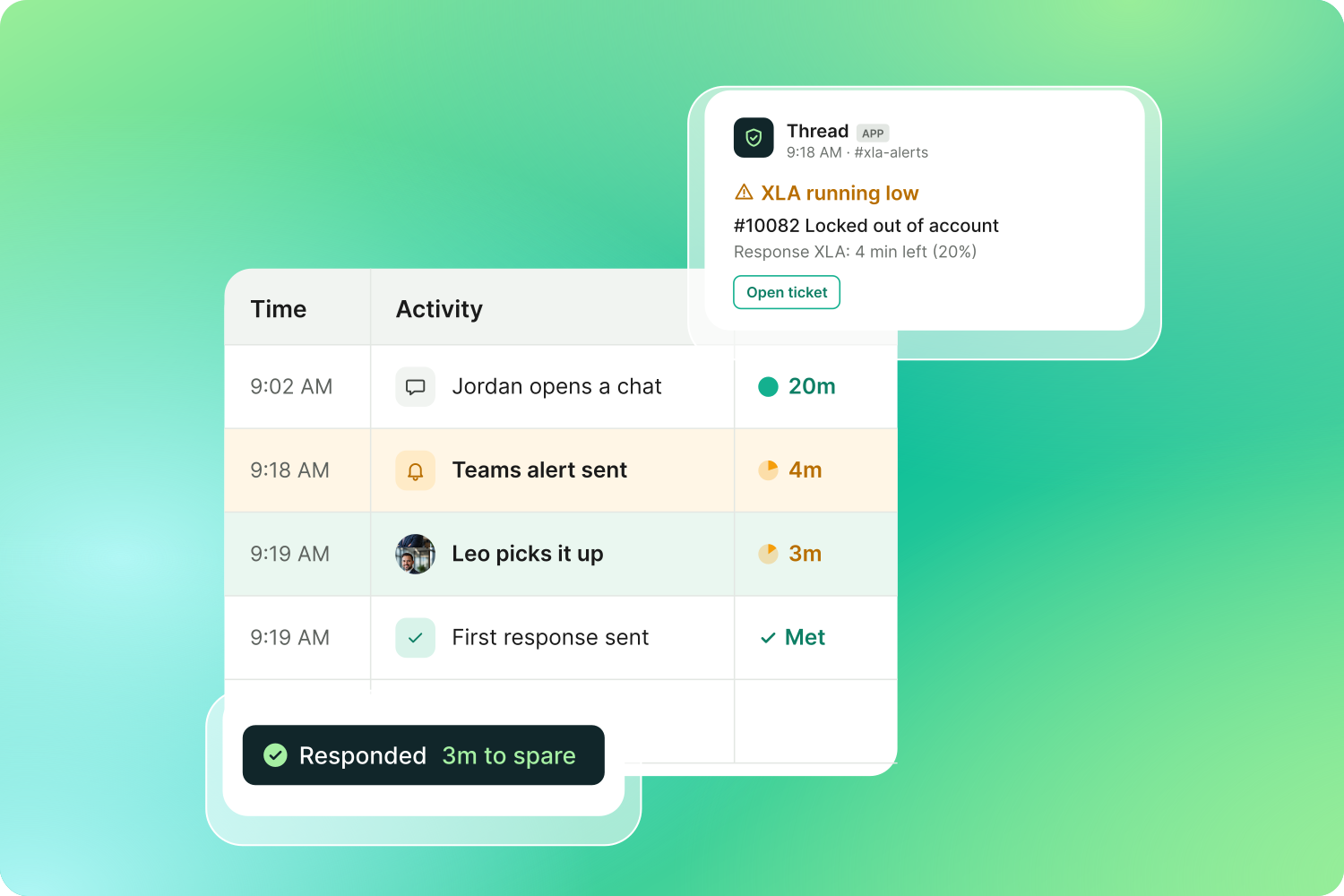
Set a 20-minute chat XLA. The ticket counts down in Inbox, slides into High risk, and Teams pings with 4 minutes left. A tech grabs it a minute later. The contract never noticed. The client did.
Pause when it’s on them. Count every minute that’s on you
Business hours, holidays and pause states are built in, so techs never take the hit for time a client is holding.
Separate from your PSA
XLAs run in Thread, not your PSA. Your ConnectWise, Autotask or Halo SLAs and reports stay exactly as they are. Zero risk.
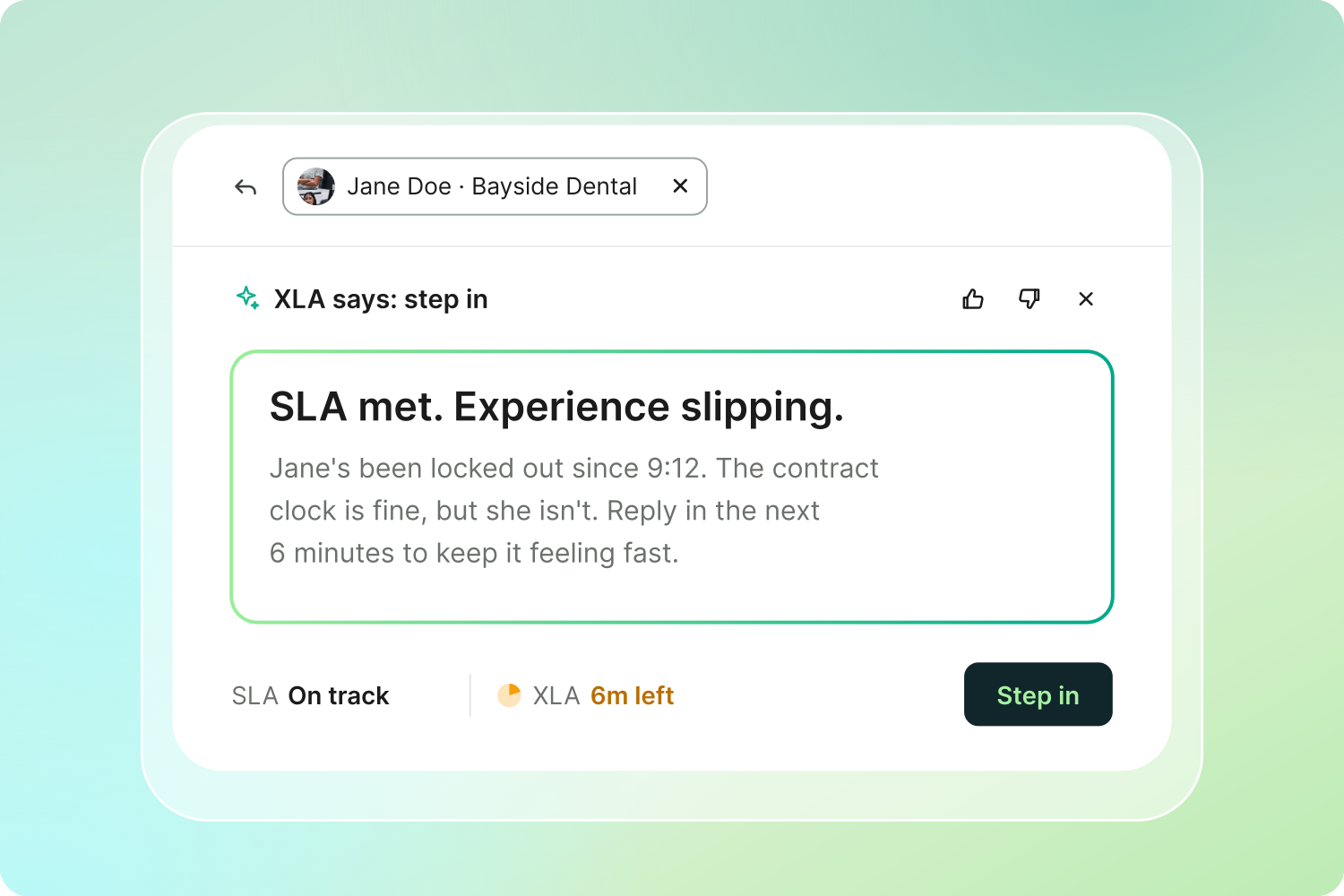
Experience is the goal
Other AI desks chase SLA compliance with fewer people. XLAs track how service feels and tell your techs when to step in.
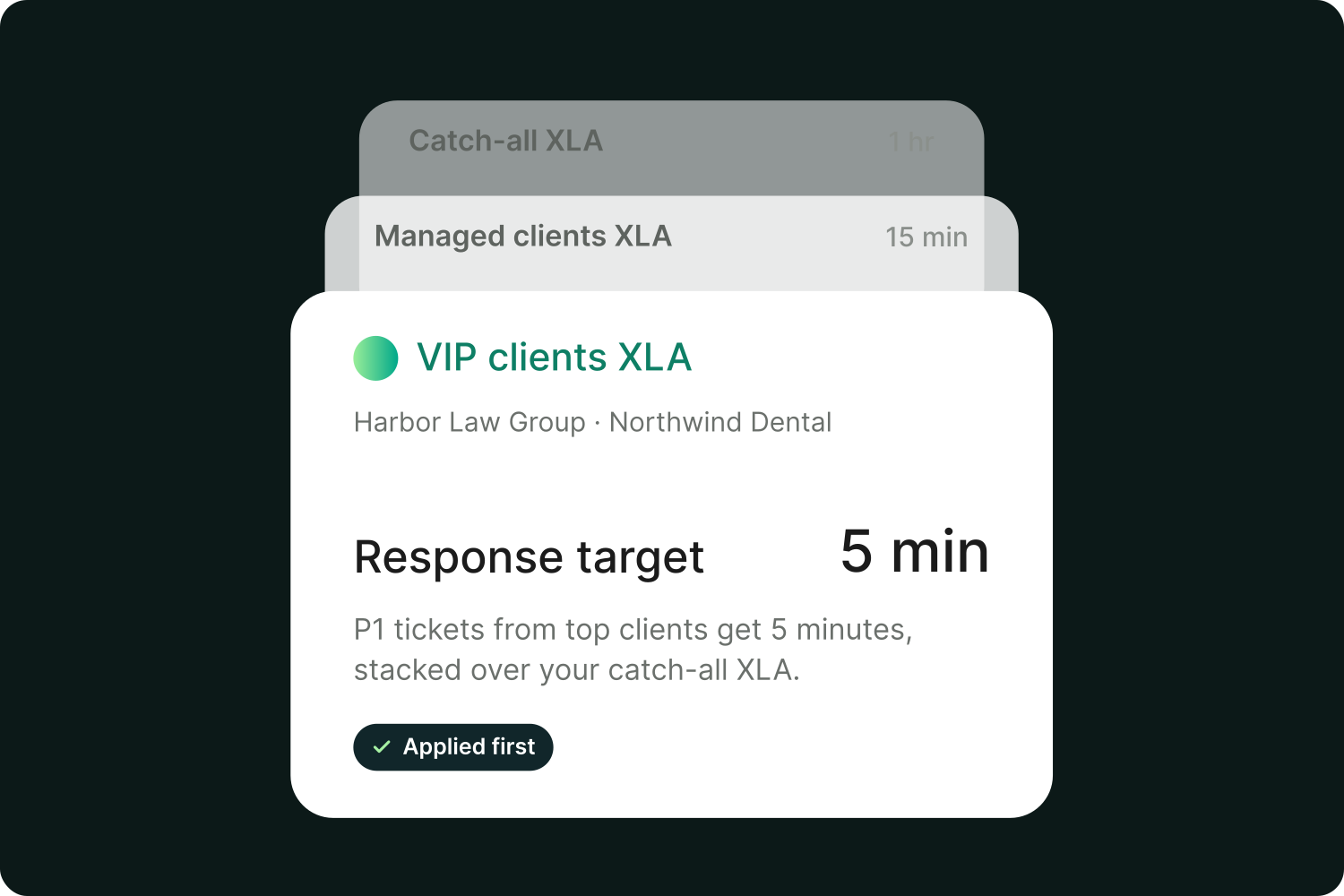
Stack a tighter XLA for top clients over your catch-all.
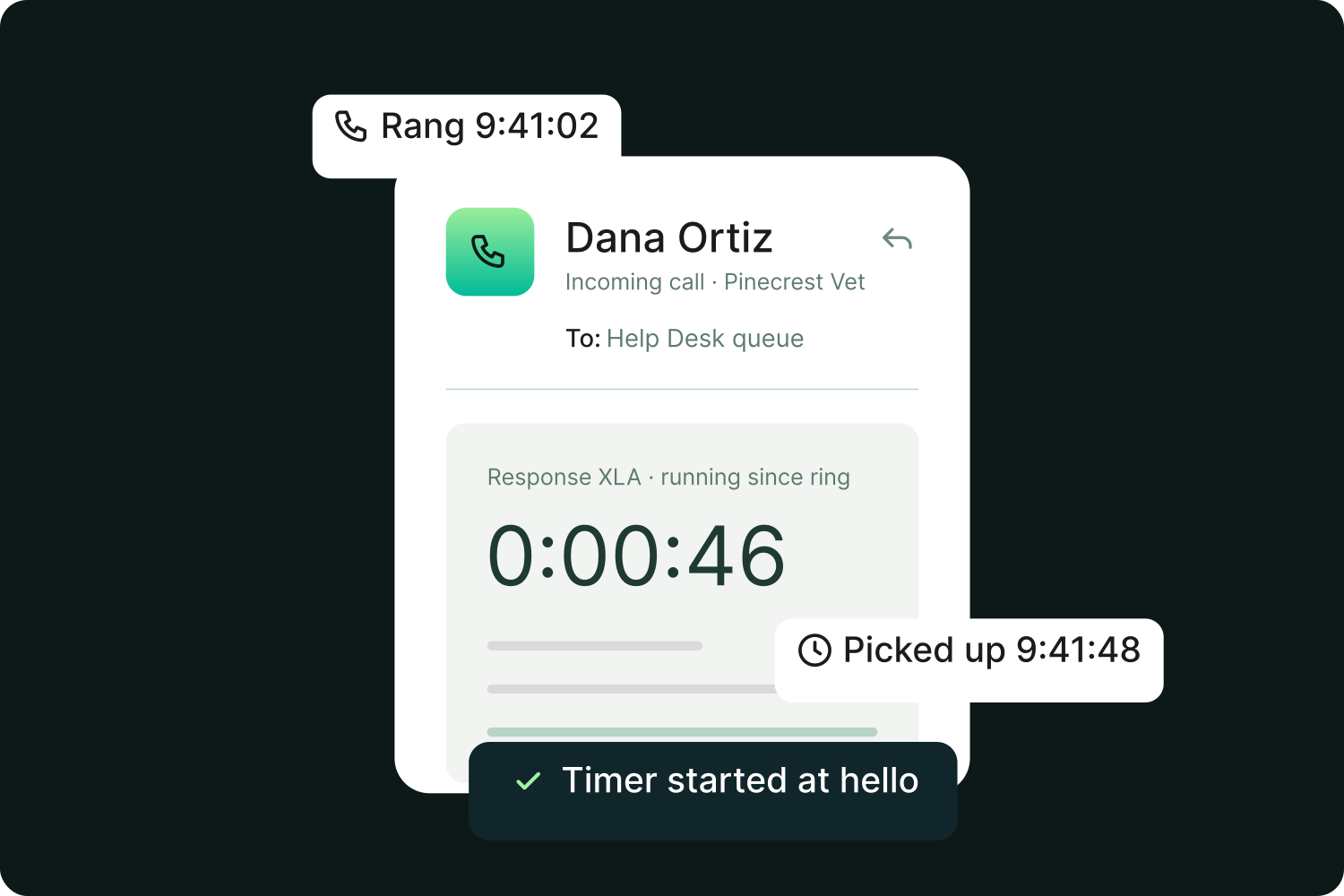
Phone timers start when the call does, not at pickup.
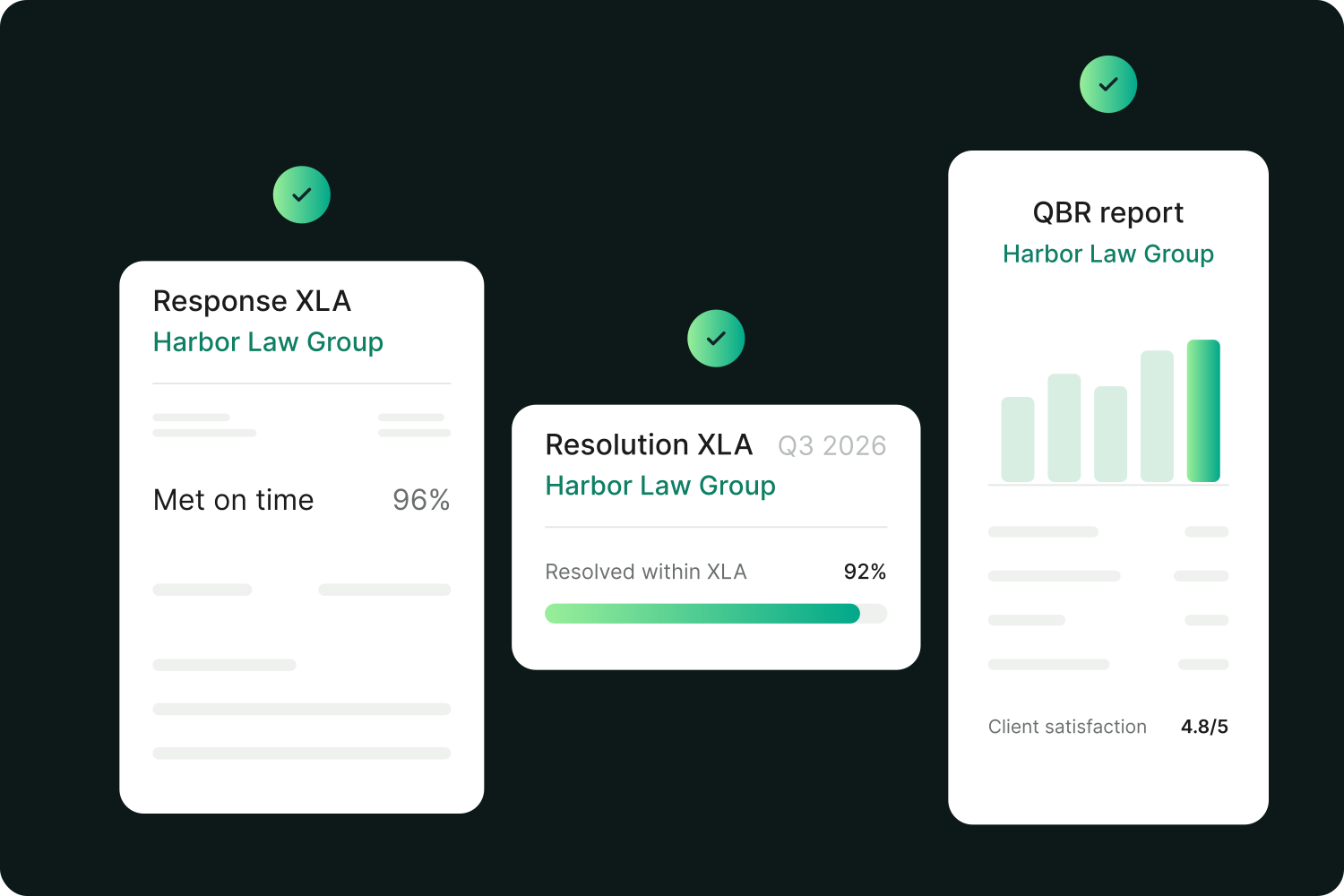
XLA reporting shows clients how service actually felt.
One XLA model on top of ConnectWise, Autotask or Halo.
Most specific profile wins. A catch-all covers the rest.
A customer-facing reply stops the response clock.
XLAs come with Thread. No add-on, no per-ticket fee.
Slack or Teams alerts at the threshold you choose.
XLA status on every dispatch calendar card (beta).
Build a catch-all, layer on VIPs and chat, and set your first alert.
Get the PDFAn Experience Level Agreement (XLA) sets response and resolution targets based on how long a client actually waits, not just the deadline in the contract. With Thread XLAs, MSPs set targets by channel, client and priority, track every ticket against them in real time, and get warned before a miss.
An SLA is the contractual deadline, usually set loose enough to survive your worst day and reviewed after the fact. An XLA tracks the experience the client actually feels: a chat gets minutes while an email keeps its hours, and the clock starts when the client reaches out. Thread XLAs run alongside your SLAs. They don’t replace them.
No. XLAs run in Thread, separate from your PSA. Your ConnectWise, Autotask or Halo SLAs and reports stay exactly as they are, so your contracts and existing reporting are untouched.
Thread sorts every ticket into Breached, High, Moderate or Low risk, with a live countdown on each. When a ticket crosses the threshold you set, your team gets an alert in Slack or Microsoft Teams, so a tech can step in while there’s still time to act.
Yes. Each channel (phone, email, chat and portal) gets its own response and resolution targets, and you can layer tighter XLAs for VIP clients, specific boards or priorities on top of a catch-all. When more than one applies, the most specific profile wins. Business hours, holidays and pause states are built in.